Starlink Installation – FixIT Computer & Tech | Olympic Peninsula: Port Angeles, Sequim, Blyn, Joyce — WA
Starlink’s Here. Let’s Get You Connected!
If you’ve recently bought Starlink — or you’re about to — congratulations. You’re one step closer to streaming without buffering, video chatting without freezing, and finally telling your old internet provider goodbye.
Now for the hard part: installing it.
What You Can Expect From a FixIT Starlink Install:
Secure, stable dish mounting — roof, wall, chimney, pole, or whatever works
Weather-sealed, tidy cable routing (no loose wires flapping in the wind)
Router placement help for solid Wi-Fi throughout your home
Optional add-ons for Wi-Fi boosting in big or older houses
Surge protection or grounding setup if needed
Plain-English answers and no “surprise” tech fees
Oh, and someone you can actually call if anything goes wrong later
Sure, you can DIY it. You can also fix your own roof, re-wire your electrical system, or teach your cat to use the toilet. But if you’re not feeling especially brave (or just don’t want to be on a ladder holding a satellite dish in the wind), that’s where I come in.
I’m Damien with FixIT Computer & Tech here in Port Angeles. I help real people — seniors, homeowners, remote workers, and rural folks — get their Starlink installed safely, cleanly, and without all the weird tech hurdles.
🛑 I’m technically closed Sundays — but if you’ve messaged me, I don’t mind taking a little time out of my day off to help figure out what you need. We can also schedule a proper call or in-person meet during the week to go over everything together.
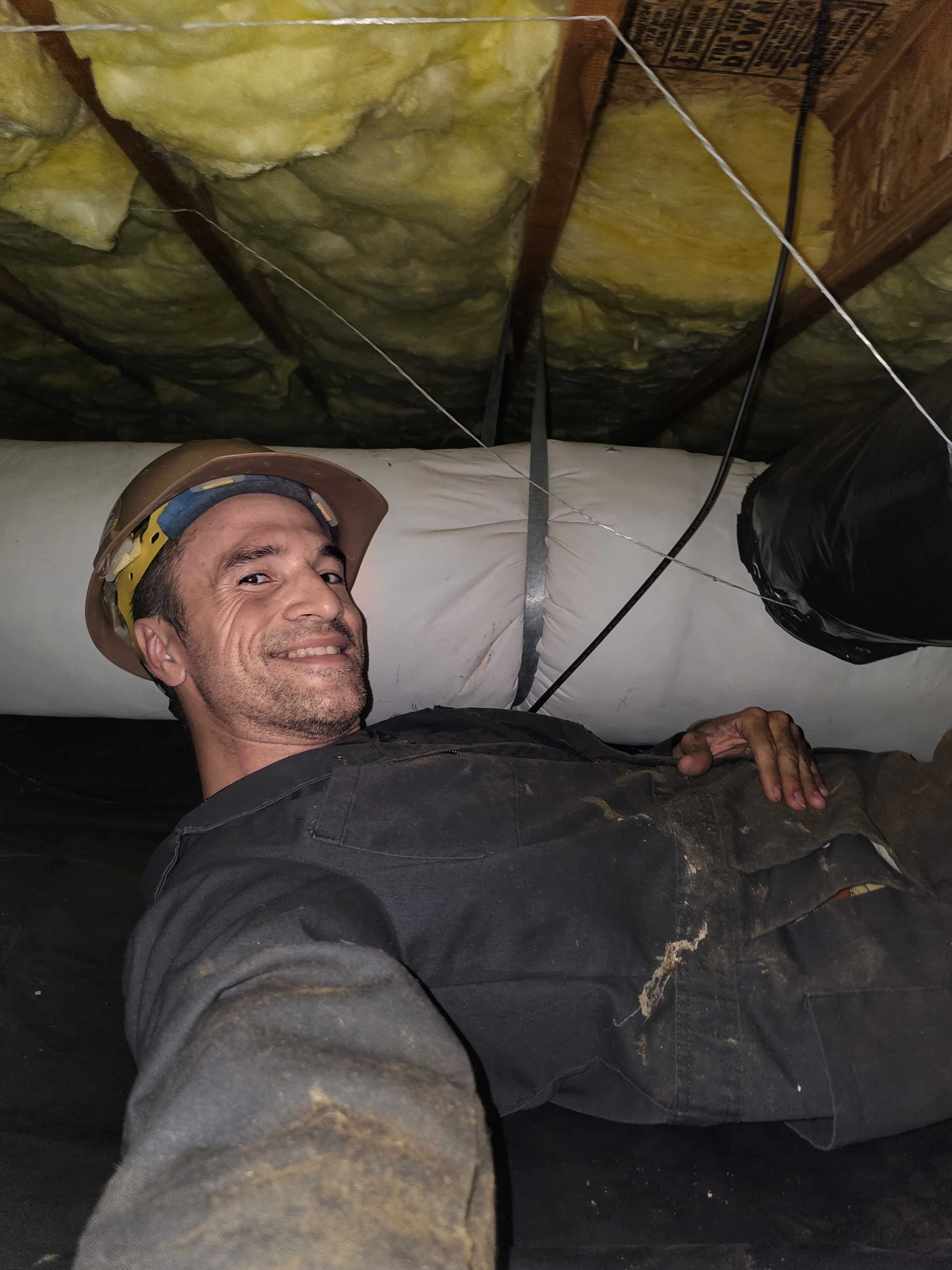
I bring the ladders, sealants, clips, and tools to make your install clean and weatherproof — the Starlink dish comes with its own built-in cable but it’s rarely long enough. Which is why I stock various sizes, mounts, and gear so you get clean, neat routing from the dish to your router… clean for you anyways (image below is a normal install)
We’ll decide together what mount is best when we have our consultation.
You stay safe and let me climb the ladder.
What I’ll Ask Before We Book:
To make sure I bring the right gear (and don’t need to run back to the truck five times), I’ll ask a few quick questions up front:
Do you already have your Starlink kit? If not, when’s it arriving?
Which version did you get — mini, regular, or high-performance model?
Is this going on a house, cabin, RV, or business building?
One-story, two-story, or are we putting it on a pole?
Will it be a permanent setup, or something you move seasonally?
Got a good clear view of the northwestern sky? Trees are Starlink’s worst enemy.
Do you want the cable tucked in and sealed, or just something temporary for now?
Using Starlink’s built-in Wi-Fi router, or do you need better mesh coverage around the house
Do you have any special mounting requests? (e.g., chimney mount, pole mount. Signal strength does play a large part in this decision.)
Are there any physical challenges or access issues at your property I should know about? (steep roofs, slippery slopes, dogs, etc.)
Are we replacing a previous dish roof style internet system?
Not sure on some of that? No problem. I’ll walk you through it without throwing a bunch of tech terms your way.
What You Can Do Before I Show Up?
Download the Starlink app and use the “Check for Obstructions” tool to scan your sky. If you’ve got a mostly clear view, you’re ready to move forward. I recommend purchasing the Starlink kit from Home Depot—they offer a generous 90-day return policy.
Then use the Starlink app to sign up for monthly service, (making sure not to purchase another Starlink dish in the process.) This will get you registered and ready for your consultation and home placement evaluation.
After you’ve paid the one-time satellite securement fee and activated your monthly Starlink service, I’ll come out to help you determine the best mount, identify any potential obstructions, and find the ideal placement for both your dish and router—so you get the strongest internet connection possible.
This way when I arrive Starlink can tell us where the best placement will be, and we can choose how we will install it, what mounting device is best, where to place the cable, and where you will get the best signal.
Related Services: Combine with Monthly Managing VIA our Peace of Mind Plans or Security Help to have a tech tamer in your pocket, fixing all the tech issues before they skyrocket, we can even save you THOUSANDS on home insurance and smart electricity devices.
Starlink Tips From Someone Who’s Been Up a Ladder in the Rain
Don’t mount the dish on a wobbly fence. Ask me how I know.
A clear view of the sky really means clear. Trees, poles, and chimneys will mess you up.
The standard cable is long-ish, not magical. Let’s plan before you drill.
Don’t “test it on a stump” and forget it. That’s how raccoons end up watching Netflix.
Starlink routers are decent, but some homes (especially older or larger ones) will need a Wi-Fi boost.
FAQ:
Q: “Who This Is For?”
A: I’ve worked with all kinds of folks around Clallam County, including:
Seniors tired of slow DSL or flaky satellite
Families needing stable Wi-Fi for school and work
Vacation homeowners who need cameras and streaming
Small business owners who can’t afford downtime
Off-grid cabins and tough install spots (with poles, chimneys, or creative thinking)
Q: “Can I Just Install It Myself?” A: Sure. But here’s the real question: Do you want to be on a ladder at 9am, holding a dish in one hand and a phone app in the other, while the wind tries to introduce you to your lawn?
Didn’t think so.
I’ll take care of it. Clean, fast, and safe — so you can enjoy your new connection without any install drama.
👉 Schedule a PC or Mac repair on the Olympic Peninsula today.
I charge hourly rates and no two jobs are the same, but you can get a rough guestimate from the following price charts:
Service Type
Estimated Price Range (tax, parts, accessories, consumables not included)
One simple wall, aka installed on a fence or low height structure.
$299 (just running through 1 wall, no risking my life, crawlspaces, attics, crypts, or spiders)
Standard residential install (single-story)
$499 (Includes 1 roof + (plus one of the following): 1 wall, 1 crawlspace, or 1 attic.)
Two-story or pole mount installations
$400 – $500
Cable extensions or tricky routing
+$50 – $100
Elevated access AKA roofs, ladders, dangerous heights. Life risk.
$200
Biohazard Contamination
$150
Wi-Fi mesh setup or boosters
$75 – $150
Travel surcharge for remote or off-grid areas
$15 – $50 (see travel fees below)
Why this pricing? It’s competitive with the wider Washington market, but tuned for the Olympic Peninsula’s rural vibe. It covers all the basics plus the extra care your unique setup might need — like sealing, mounting challenges, or extra cable runs.
Travel fees may apply for areas beyond Port Angeles and Sequim. View our [Travel Zones] page for full details.
Want to explore more fixes? Check out all our one-time repair services. Need more than just a fix? Check out our monthly tech support plans for ongoing peace of mind.
Protect your devices and your day — explore Monthly Support Plans.
🔔 We limit daily appointments to ensure quality. Book early to reserve your preferred time.
Real Customer, Real Result:
⭐️⭐️⭐️⭐️⭐️—“My internet used to cut out every time it rained. Damien got the Starlink installed and the cable run right through the wall — no mess, no tech stress. Now I can watch Netflix without spinning wheels.” — Becky, Happy Client in Joyce
⭐️⭐️⭐️⭐️⭐️—“I wasn’t sure if Starlink was worth the hassle, but Damien made the whole thing painless. Showed up on time, handled the tricky roof mount like a pro, and now my home office hasn’t had a single dropout. Highly recommend if you don’t want to wrestle with tech yourself.” — Mark, Port Angeles
😫 Don’t Struggle Alone!
Tech troubles shouldn’t ruin your day. Whether you need a quick fix or a little extra help getting set up, we’re just a call away. Reach out today at 360-775-7282 or email @FixITdamien.com to schedule your one-time service!
For a limited time only, FixIT is giving away free consultations!







 FixIT Computer & Tech – Located between Port Angeles & Sequim, WA